PDF accessibility remediation
Documents everyone can read.
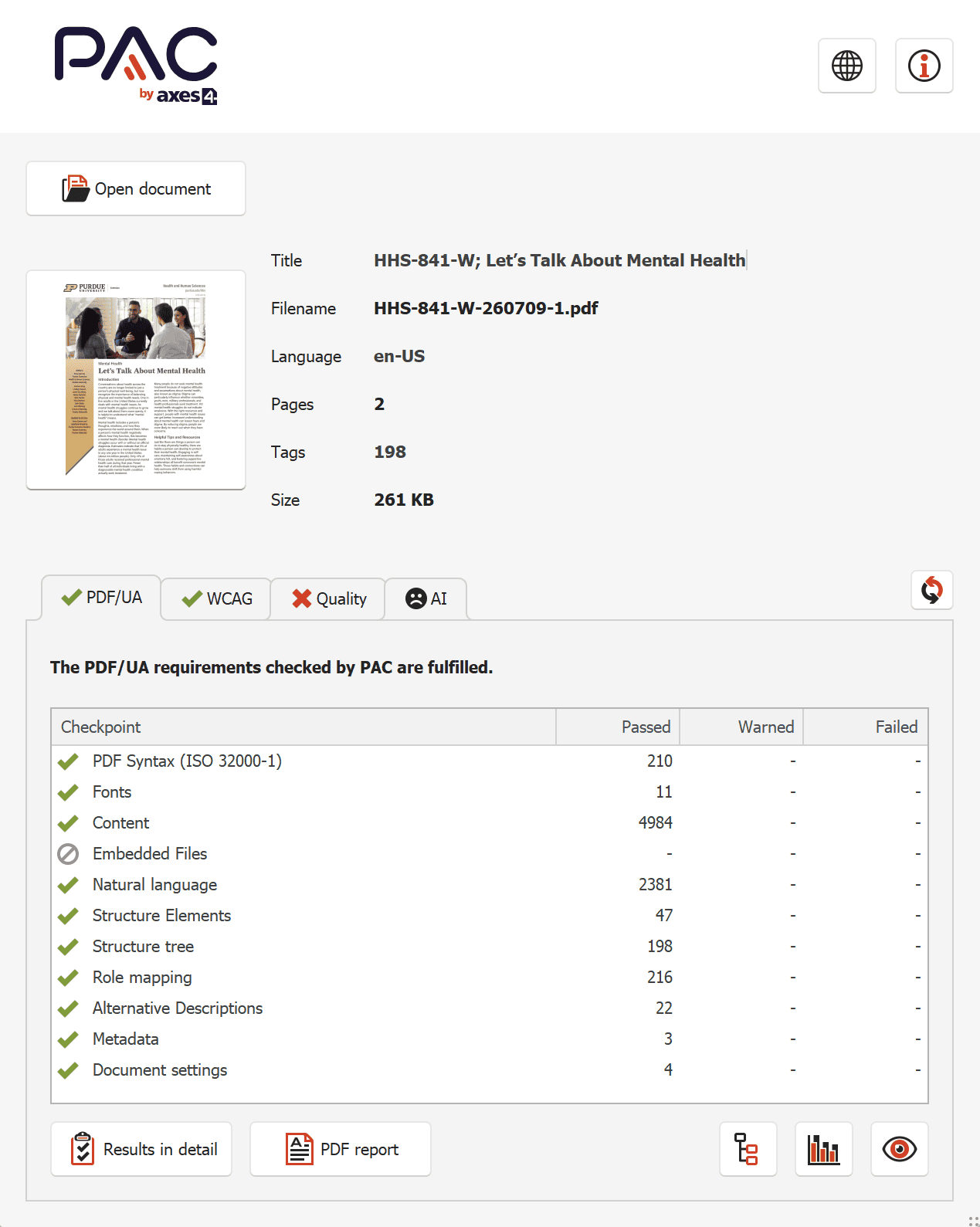
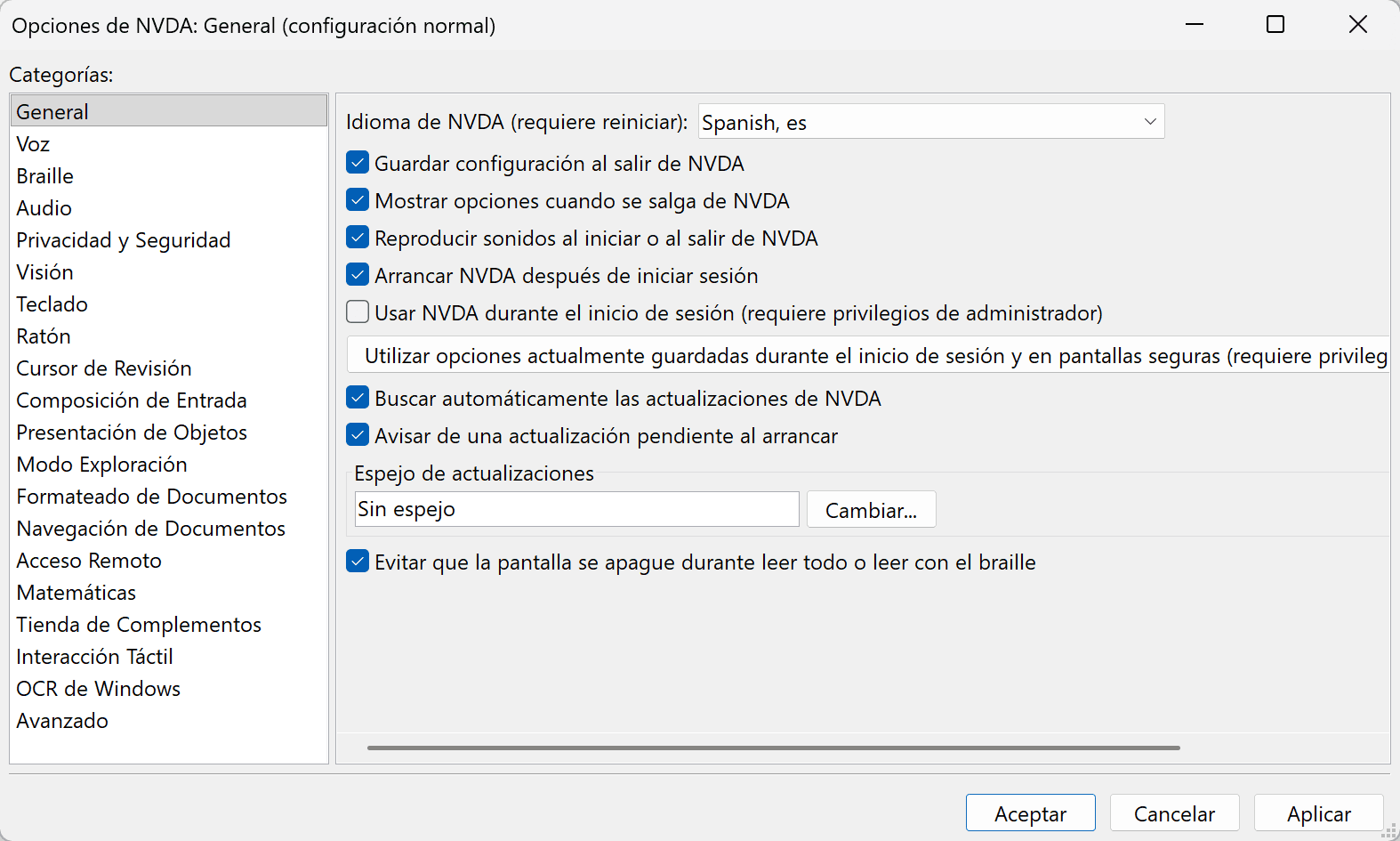
I rebuild PDFs so they work for people using screen readers, keyboards and magnifiers, while they still look exactly the way they were designed. Every file is checked in PAC 2026, read through in NVDA and delivered with a conformance report you can keep on file.
- WCAG 2.1 AA
- PDF/UA-1 (ISO 14289-1)
- Zero Matterhorn failures in PAC 2026
- Read through in NVDA
- English and Spanish
A remediated PDF looks the same. It reads completely differently.
The work lives in a layer most people never see: the structure a screen reader follows. That is why this page shows checker results and recordings rather than pretty thumbnails.
Structure
A tag tree that matches the real reading order, with headings that form an actual outline instead of bigger, bolder text.
Meaning
Alt text that says what an image is for, table headers tied to their cells, labeled form fields and language tags so Spanish is spoken as Spanish.
Proof
An automated pass in PAC 2026, a manual read in NVDA, and a per-file report showing what was checked and what was fixed.
Selected work
Case studies
Purdue Extension, Health and Human Sciences
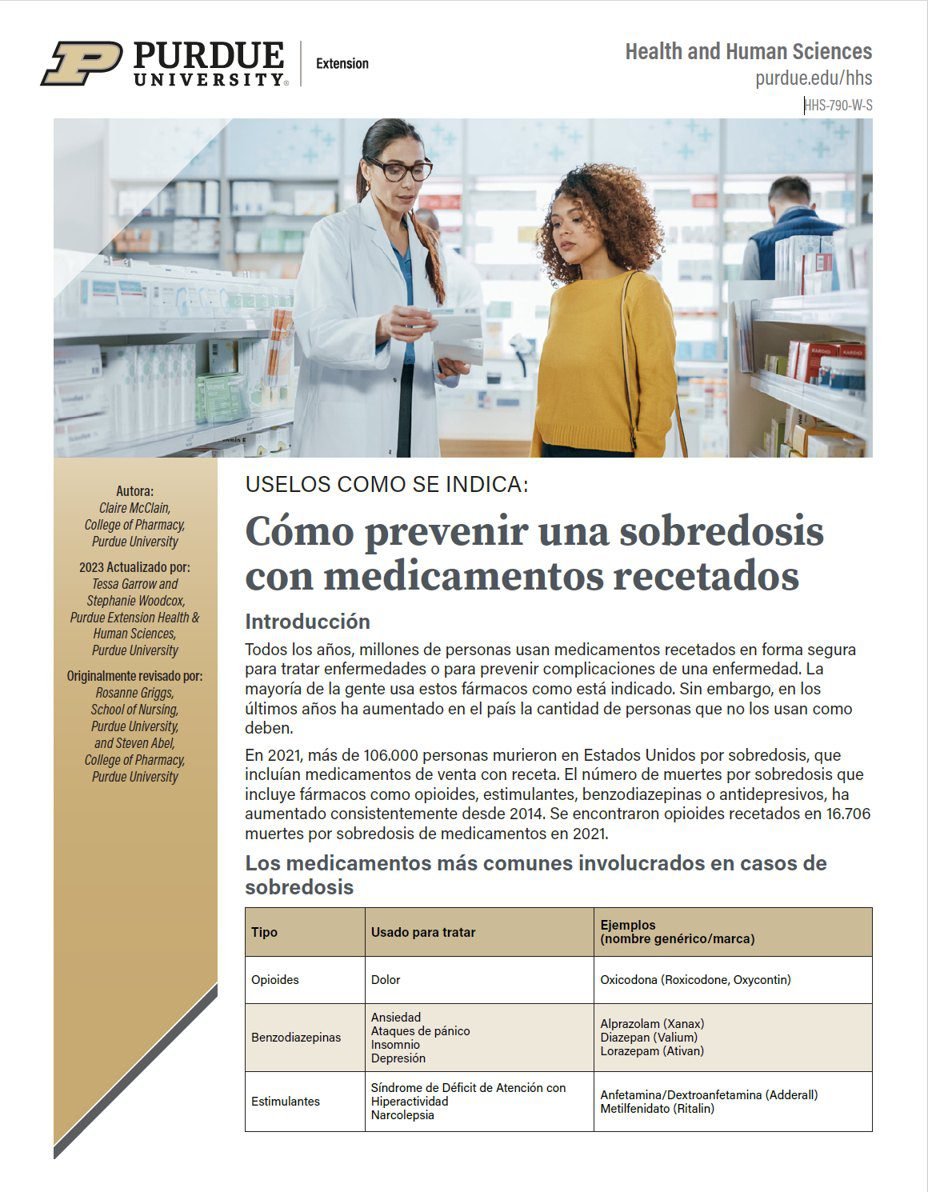
Extension publications in English and Spanish
Consumer health publications from the HHS-790-W and HHS-841-W series, including Preventing Prescription Drug Overdoses. Built in InDesign, published as PDFs, and read by the public on phones, laptops and assistive technology.
What it needed
- Table header cells InDesign exports without scope, so a screen reader could not say which column a value belonged to
- Author and sidebar content read out of order
- Decorative rules and shapes announced as content
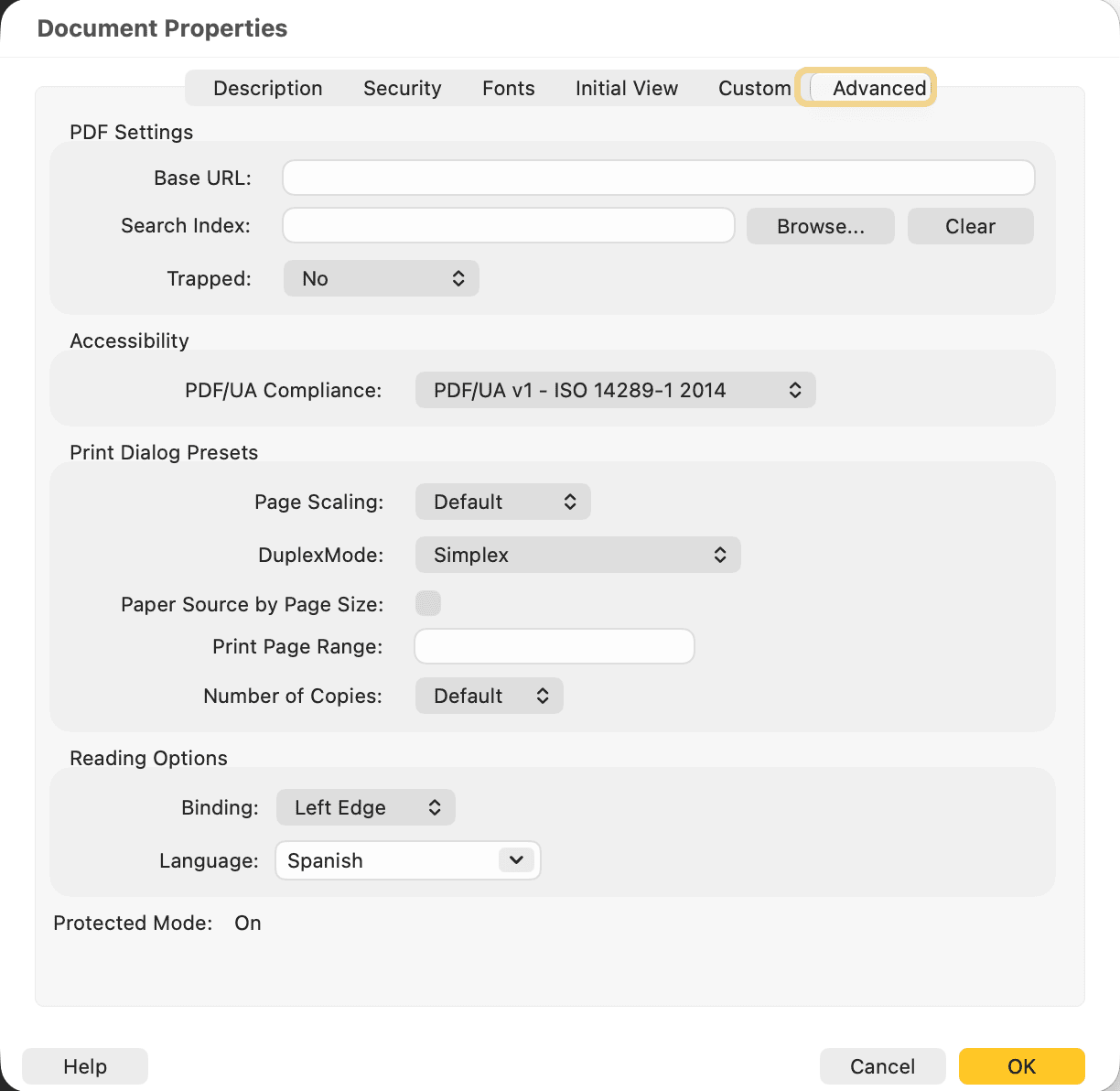
- Spanish editions tagged so NVDA switches to Spanish pronunciation
Pages
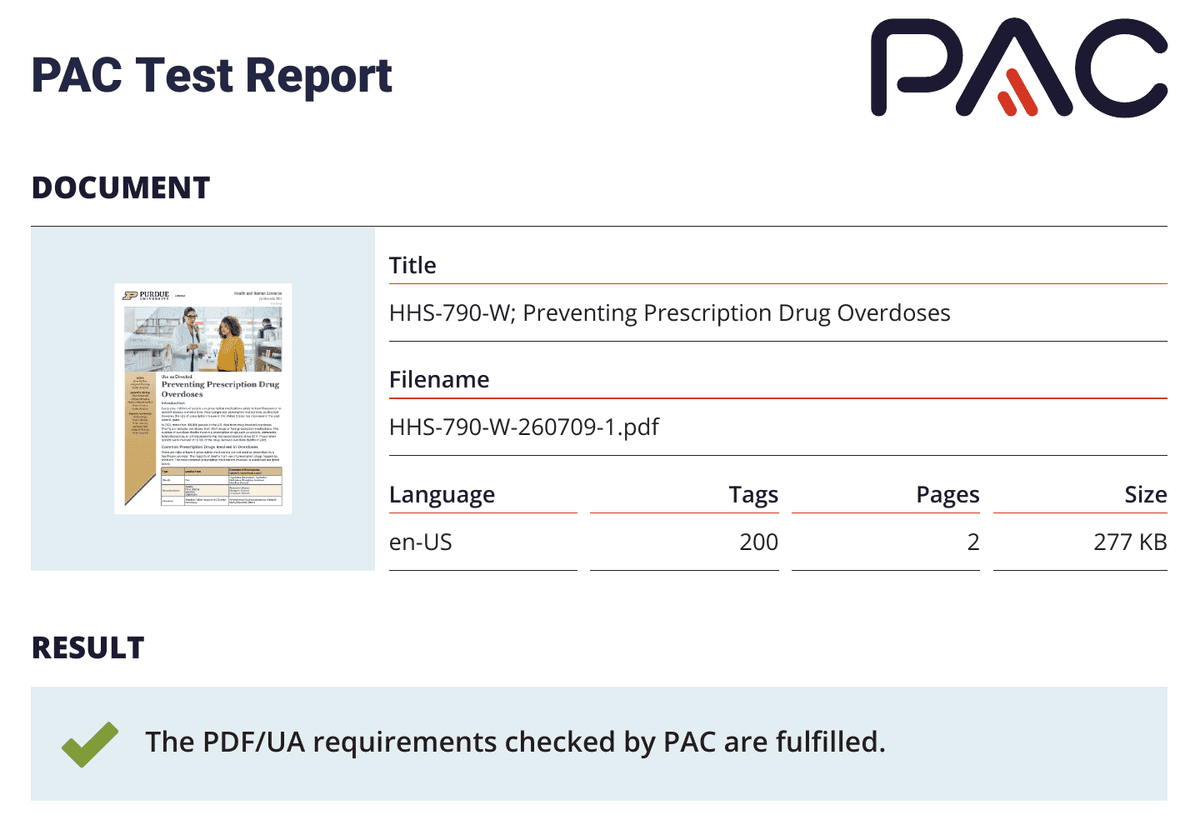
2
Tags
200
PAC errors
0
Hear it
The finished file, read aloud in NVDA
This is what a screen reader user hears in Preventing Prescription Drug Overdoses. Headings are announced with their level, so the page can be scanned like an outline. In the table, NVDA gives its size, then names the column header before every value, so each drug stays tied to what it treats.
NVDA reading HHS-790-W in Adobe Acrobat Reader, 80 seconds, with captions. The Speech Viewer on the left shows the same words as text.
Transcript
Use as Directed:
Heading level 1: Preventing Prescription Drug Overdoses
Heading level 2: Introduction
Every year, millions of people use prescription medications
safely to treat illnesses or to prevent disease complications.
Most people use prescription medications as directed.
Heading level 2: Common Prescription Drugs Involved in Overdoses
Table with 4 rows and 3 columns. Row 1, column 1: Type
Column 2: Used to Treat
Column 3: Examples of Prescriptions (generic name/trade name)
Row 2, Type, column 1: Opioids
Used to Treat, column 2: Pain
Examples of Prescriptions (generic name/trade name)
Column 3: Oxycodone (Roxicodone, Oxycontin)
Methadone (Dolophine, Amidone)
Morphine (Avinza)
Row 4, Type, column 1: Stimulants
Used to Treat, column 2: Attention-Deficit Hyperactivity Disorder
Narcolepsy
Examples of Prescriptions (generic name/trade name)
Column 3: Amphetamine/Dextroamphetamine (Adderall)
Methylphenidate (Ritalin)
En español
The Spanish editions
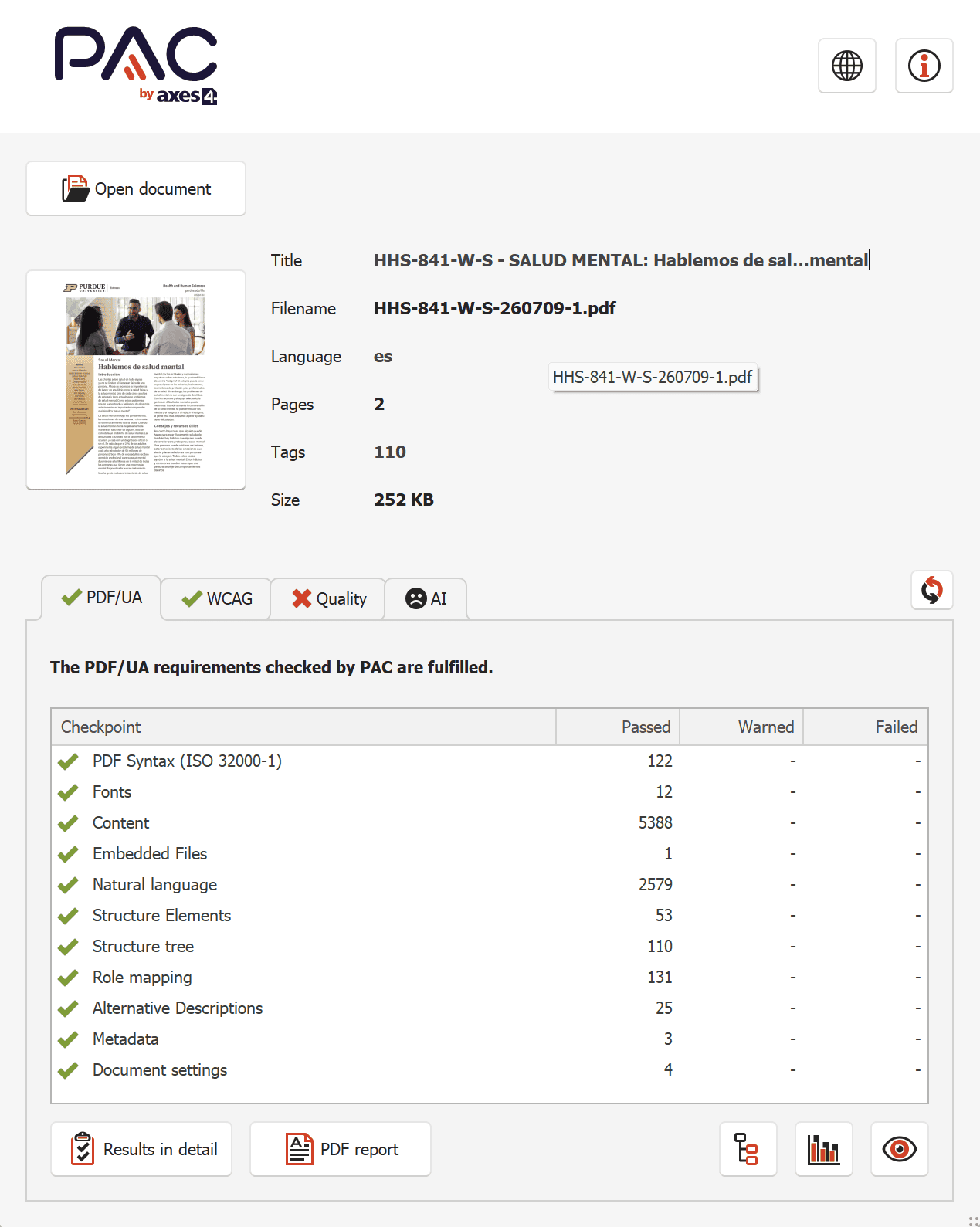
Both publications in the series also come in Spanish: HHS-790-W-S and HHS-841-W-S, Salud mental. Each Spanish file gets the same full build as its English twin, plus one more layer: language tagging, so a screen reader speaks Spanish as Spanish instead of reading it with English pronunciation.
- Document language set to Spanish and written into the file
- Document title in Spanish
- Validated in PAC 2026 to the same standard as the English edition
- Read through in NVDA running in Spanish
If your audience reads in more than one language, your documents can too.
Same publication, two languages, both passing
Purdue Extension, Health and Human Sciences
Rebuilt from the source: Creating a Safe Sleeping Environment for Your Baby
HHS-819-W was a 2020 publication that needed new content and an accessible version. Patching the old PDF would have meant redoing the work at the next revision, so I fixed it at the source. I redesigned the publication template the College of Agriculture now uses, with accessibility built into its styles, then rebuilt this publication on it. Every future export from that template starts accessible.
What it needed
- Typed bullets turned into real lists, so a screen reader announces each list and how many items it holds
- Inconsistent paragraph and character styles cleaned up and mapped to proper headings
- Fonts the old file never fully embedded, now embedded
- The window set to show the document title instead of a filename
- New content, references and photography added without losing any of it
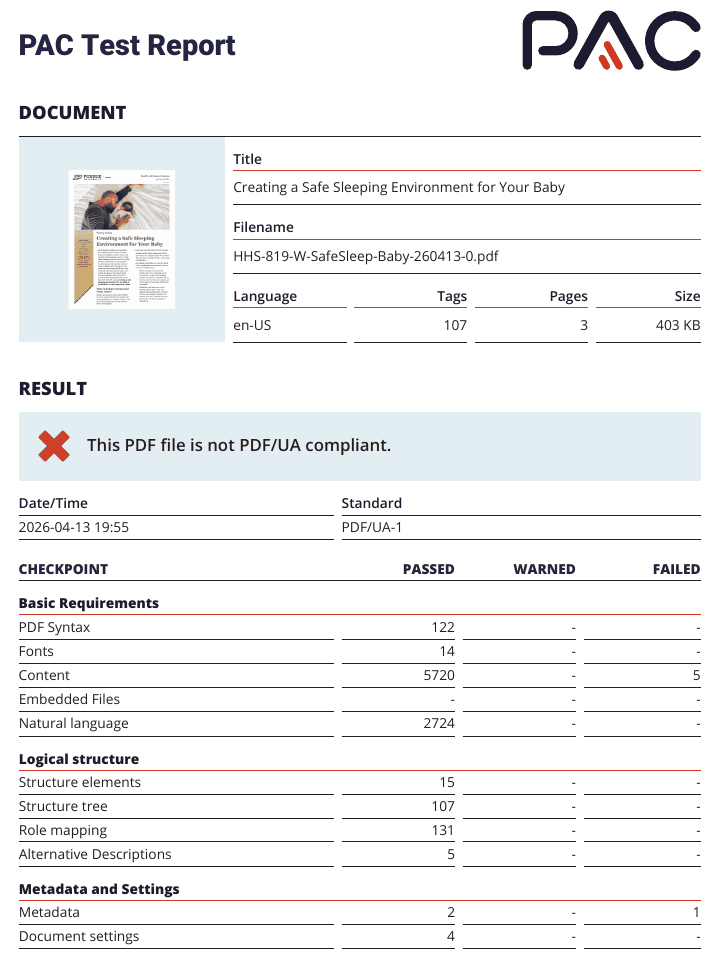
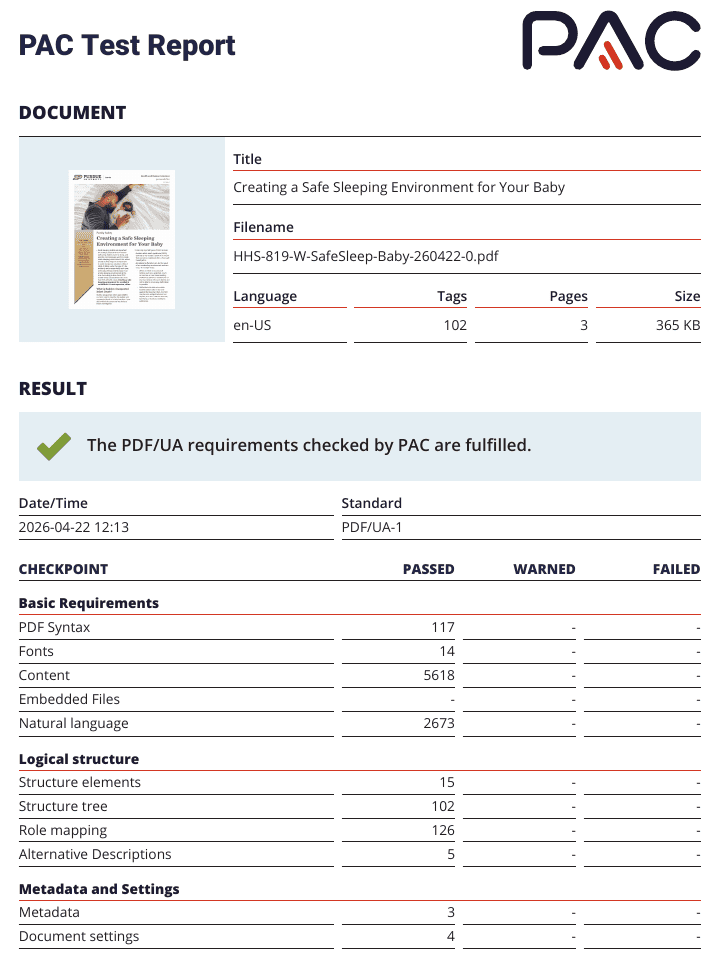
Checked, fixed, checked again
Pages
3
Tags
102
PAC errors
0
Source file
Accessible
If you publish PDFs, this is for you.
Anything people download, someone using a screen reader downloads too. I work with organizations of every size, and I am glad to look at document types I have not seen before.
Colleges and universities
Catalogs, forms, Extension and research publications
Cities, counties and schools
Agendas, minutes, permits, budgets, notices
Hospitals and clinics
Patient guides, intake forms, notices
Nonprofits and associations
Annual reports, programs, member resources
Businesses and manufacturers
Manuals, spec sheets, catalogs, proposals
Authors and publishers
Books, reports and guides headed for digital release
How it works
01
Look
Send one file or a list. I check what each needs before anyone commits to anything.
02
Quote
A per-document price by page count and complexity, in writing.
03
Remediate
Tags, reading order, alt text, tables, forms and metadata, validated in PAC and NVDA.
04
Document
Each file comes back with a conformance report for your records.
Send me one PDF. I will tell you what it needs.
Personal reply within one or two business days. No commitment.